
UX Case Study
Gaana Playlist Revamp
Let me walk you through the highlights of the redesign—think of this as the fast track on how we fixed the app's biggest headaches.
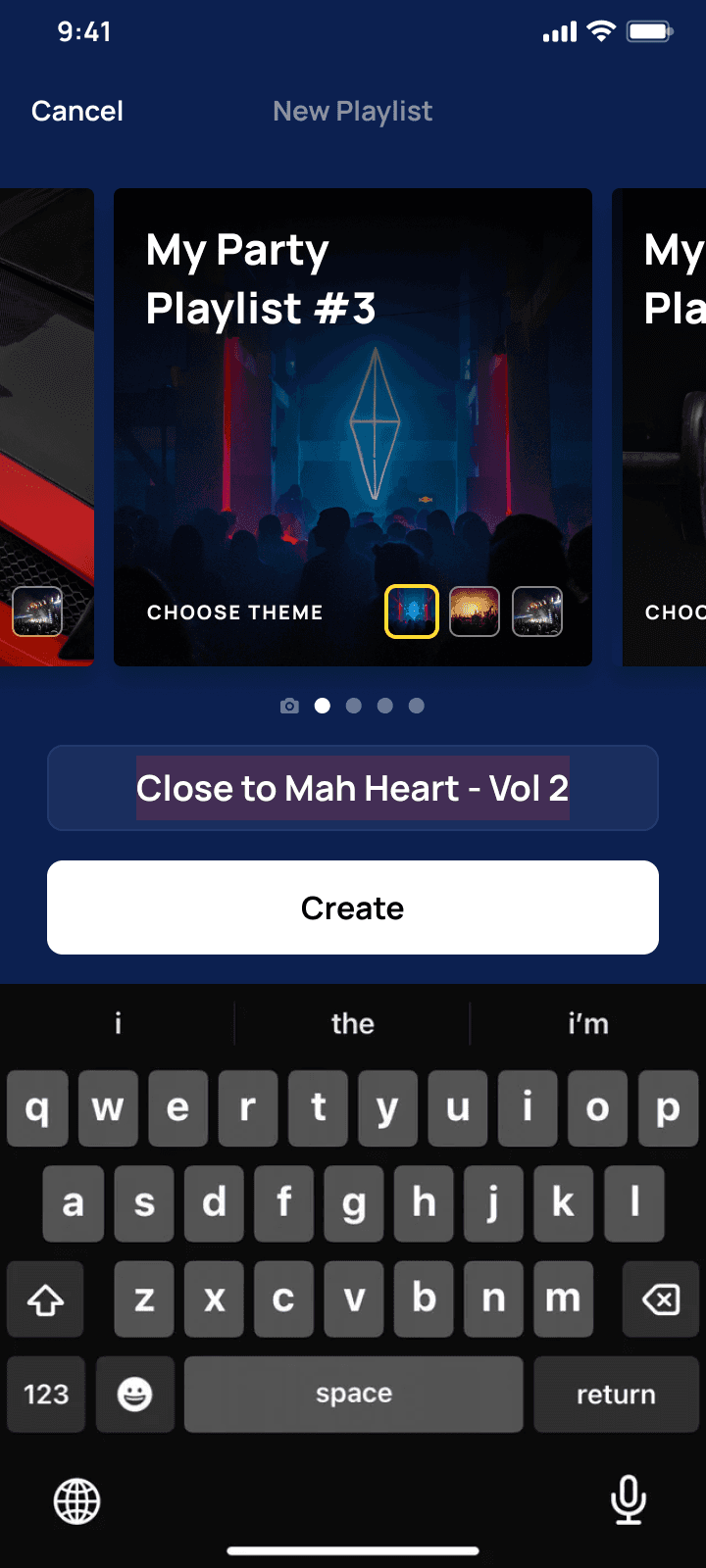

PROBLEM
New users bailed after adding one songs
The original playlist creation flow was an activation killer because the low completion rate established a clear churn threshold. Users who failed to create the first playlist were highly likely to drop off within 7 to 30 days, while those who succeeded became the retained user base.
But what were we doing wrong? We were violating some basic laws of UX and psychology.
Let's dive into what was wrong.
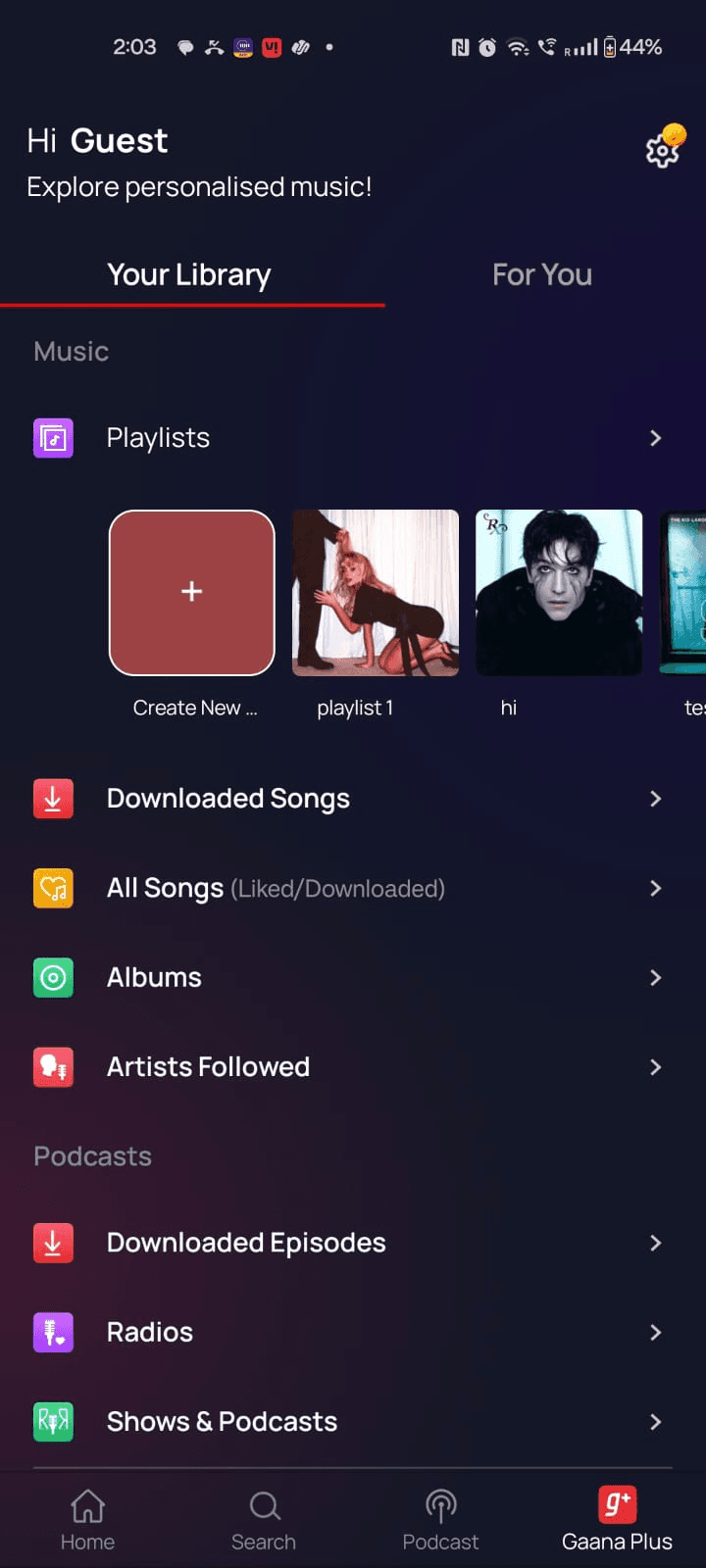
Poor CTA Disocovery
It was hard to find where to click to create a playlist in the library
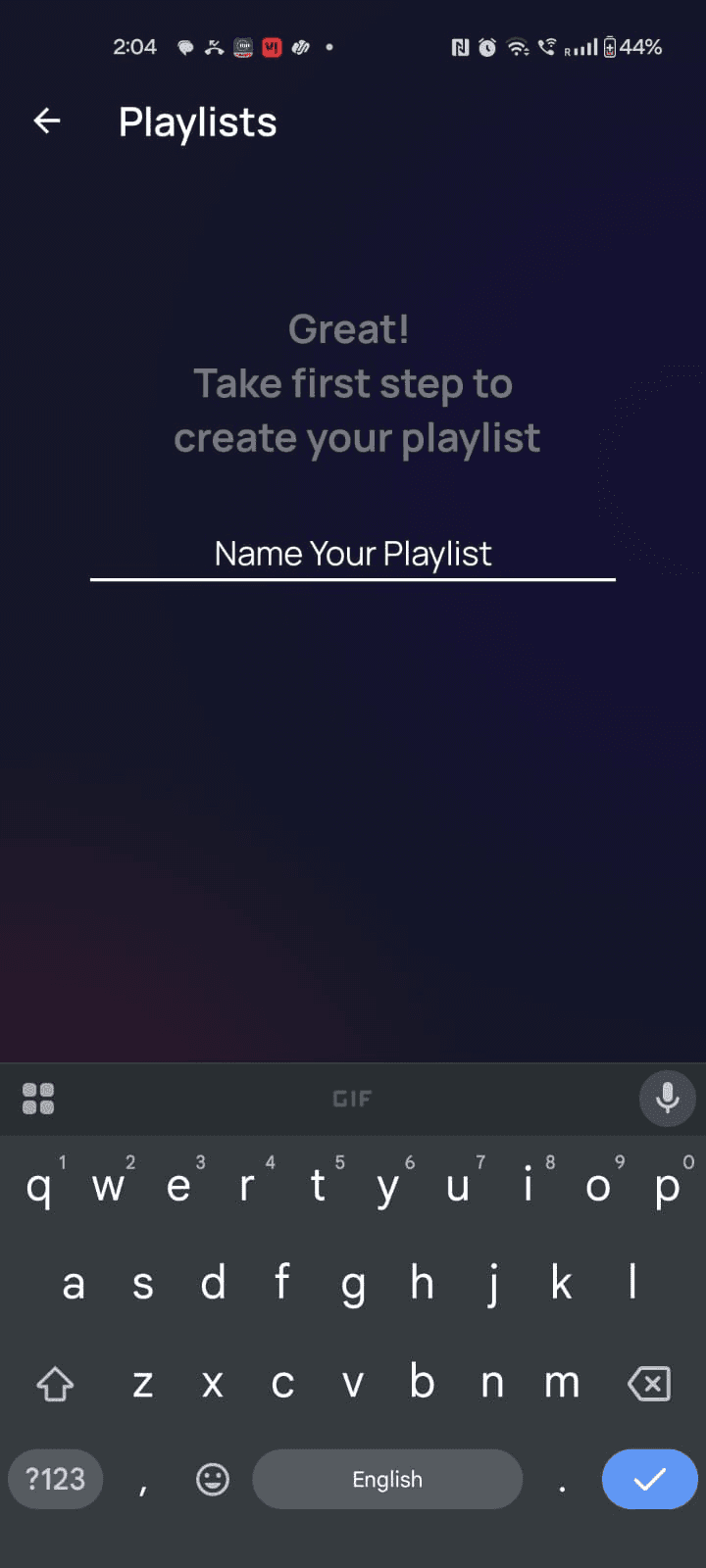
One whole screen for just naming :O
This implied that naming is the entire task or the only available action at that moment. The user's eventual goal is to add songs and listen, but the screen visually distances the naming task from the essential next steps.
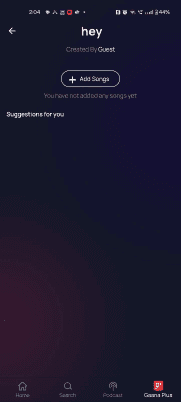
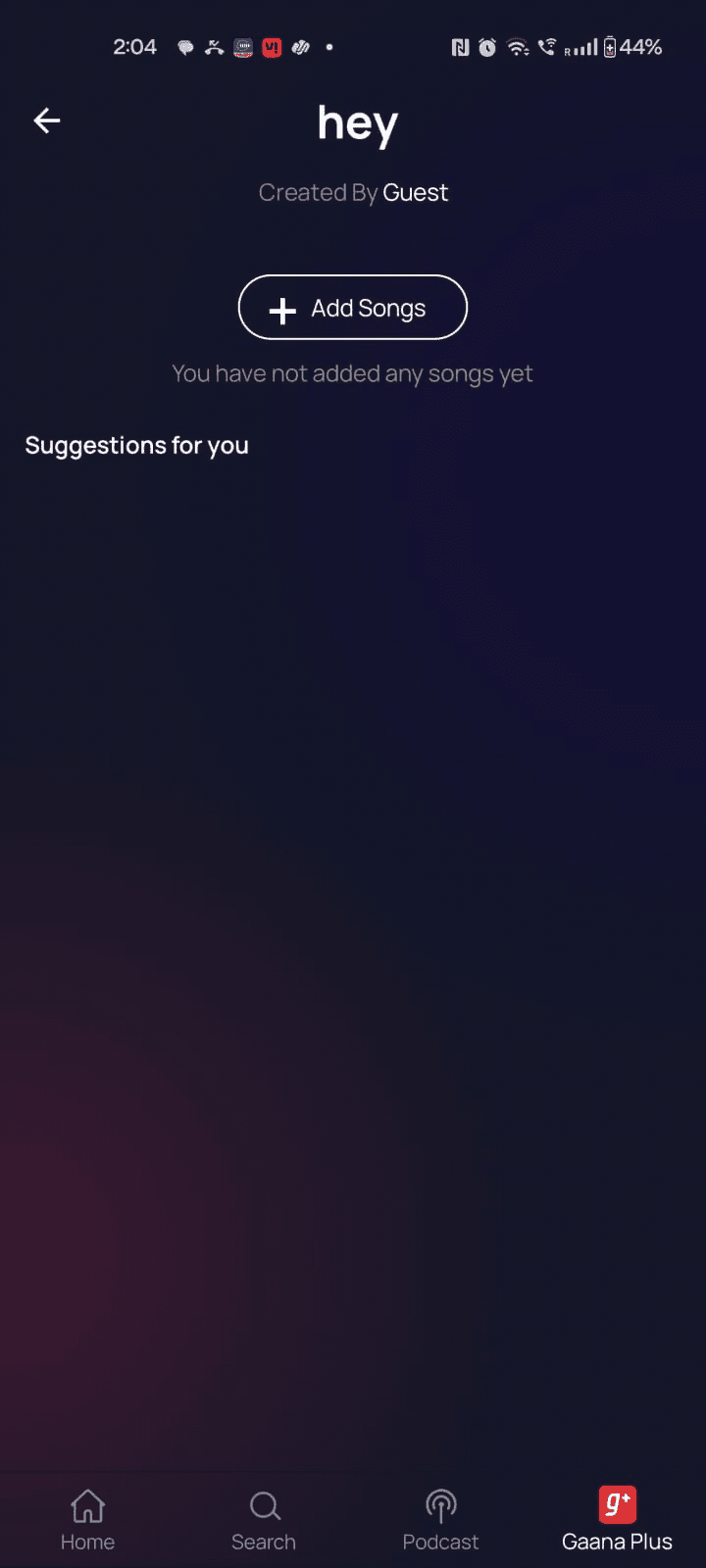
Violating Fittt's Law
By not offering contextual suggestions right there, we made the next target (adding the second song) feel psychologically distant and difficult to acquire, slowing down the entire workflow, especially for new users, who don't have any algo suggestions
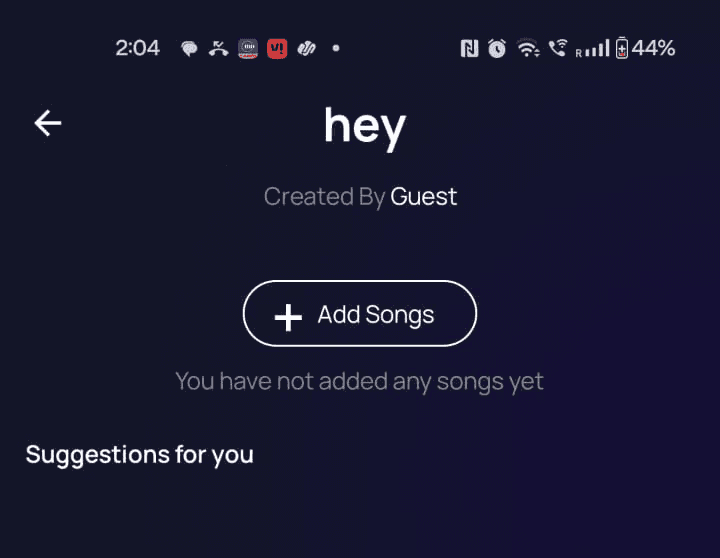
Broken Copy
The placeholder text, "You haven't added any song yet," was passive. It stated the obvious instead of providing a clear Call-to-Action, leaving the user uncertain about what to do next.
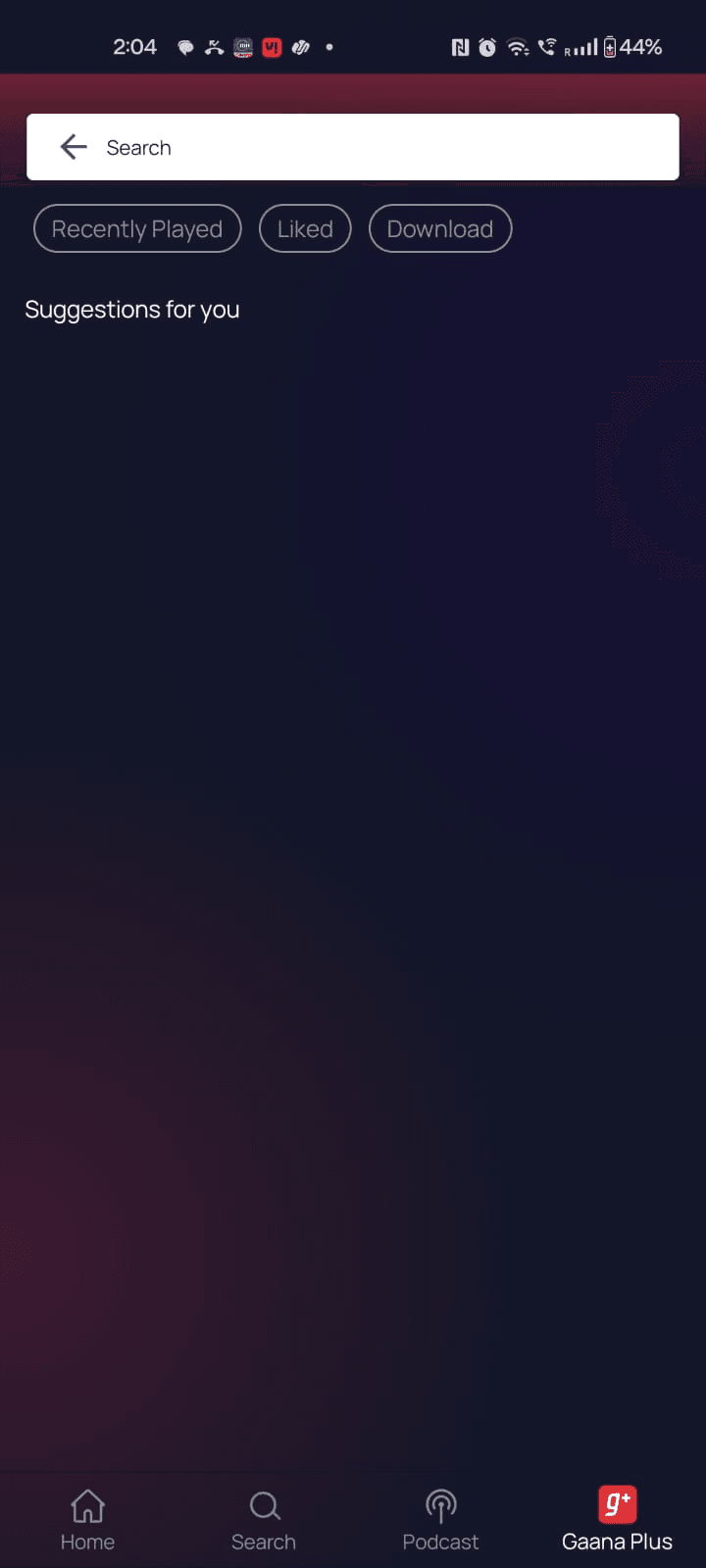
Violating the Principle of Habituation
By not offering suggestions even in the search option, users were left stranded. We abruptly broke their creative momentum, forcing them to manually do the tedious search process, which led to high drop-off.
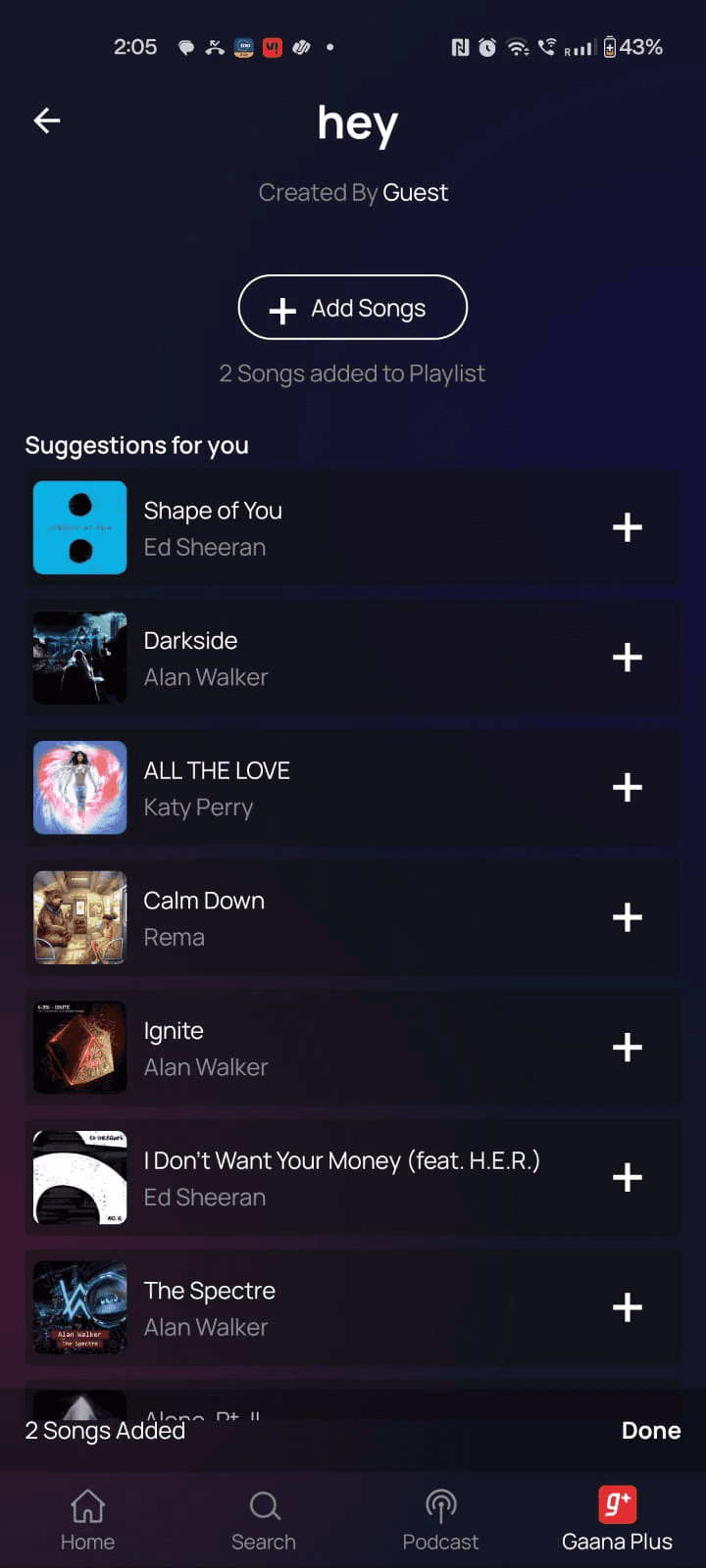
Generalised Suggestions
Even if sometimes ( a miracle ) the songs were suggested, the CTA to move to the main playlist screen was difficult to locate.
Activation Barrier & Broken Flow
Users were notable to easily discover how to begin the playlist creation process due to the flow's poor discoverability and fragmented steps, resulting in a high-friction entry barrier and a low completion rate, their momentum was immediately broken by the failure to provide a clear, contextual next action, which caused massive drop-off after adding just one track
Isolated Design & Cognitive Overload
Even if the users figured out how to create a playlist, they couldn't create one smoothly because the interface created unnecessary cognitive load by isolating the administrative naming task on a separate, low-utility screen and not getting any suggestions based on their listening behaviours or current music trends.
Failure of Guidance & Communication
The app failed to guide users effectively due to passive placeholder copy (e.g., "You haven't added any song yet") and hard-to-find CTAs. This unhelpful communication compounded the problem, leaving new users stranded and uncertain about how to proceed from the empty playlist screen.
THE GOAL
Make the process so fast and intuitive that the user completes their first playlist without thinking about it, turning a casual listener into an engaged library builder.
SOLUTION
Elimate Activation Friction
Users can instantly save any song with just one tap from anywhere in the app, and the screen will immediately guide them to the next logical step, keeping them in the music discovery flow without forcing them to stop and search again.
Enhance Personalization and Utility at Creation
Users can personalize their new playlist instantly by choosing a custom cover or a mood-based image . Choosing a mood gives the apps meta data a hint to provide them with instant, relevant song suggestions, all while letting them choose who can see the playlist.
Drive Engagement with Contextual Suggestions
Users can easily build a full music library because after adding their first song, the app immediately shows them a list of highly relevant, recommended tracks right on the new playlist screen, leveraging their initial momentum to create a rich, sticky playlist.
Serveral Iterations, One Goal.
To give users the best experience of creating a playlist.
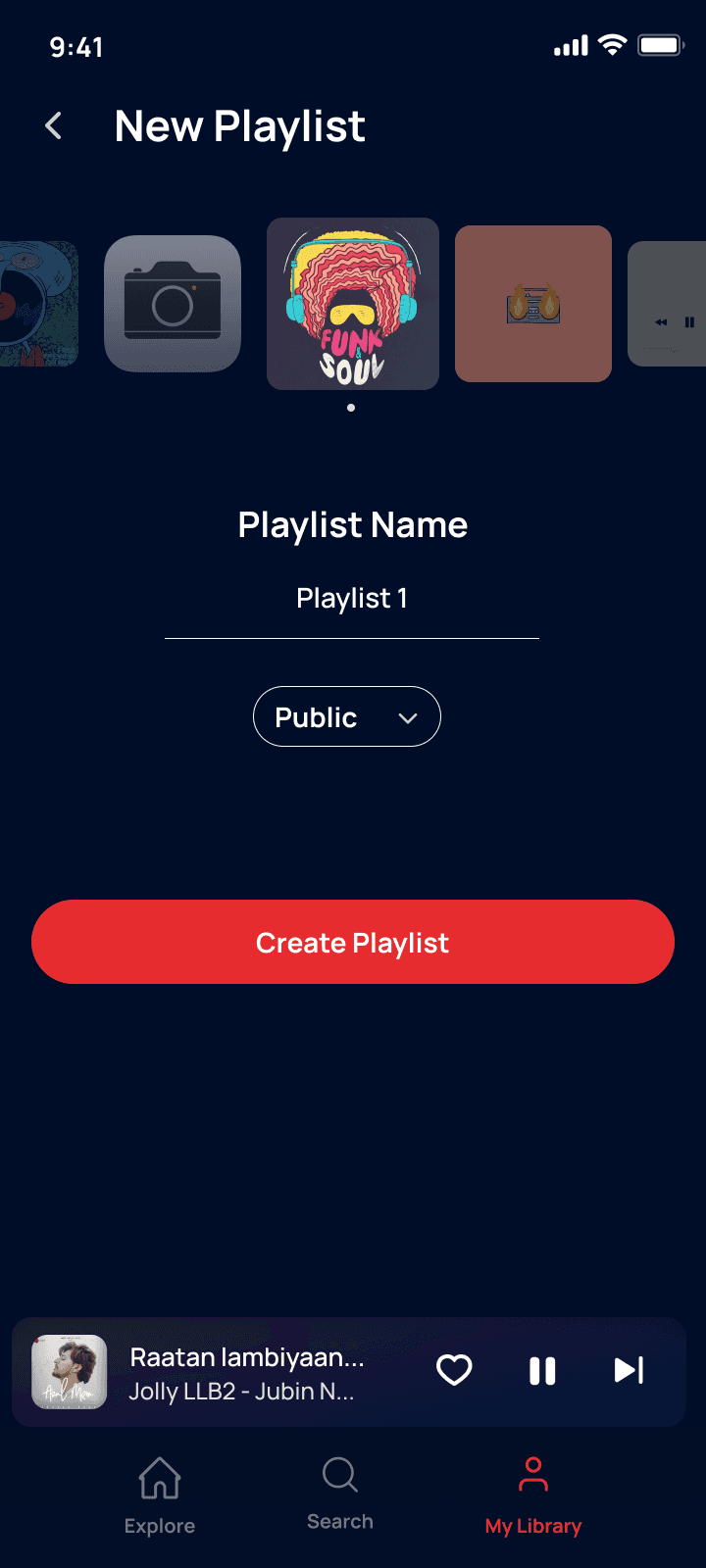
1st Draft
had too much whitespace, visual hierarchy was lacking
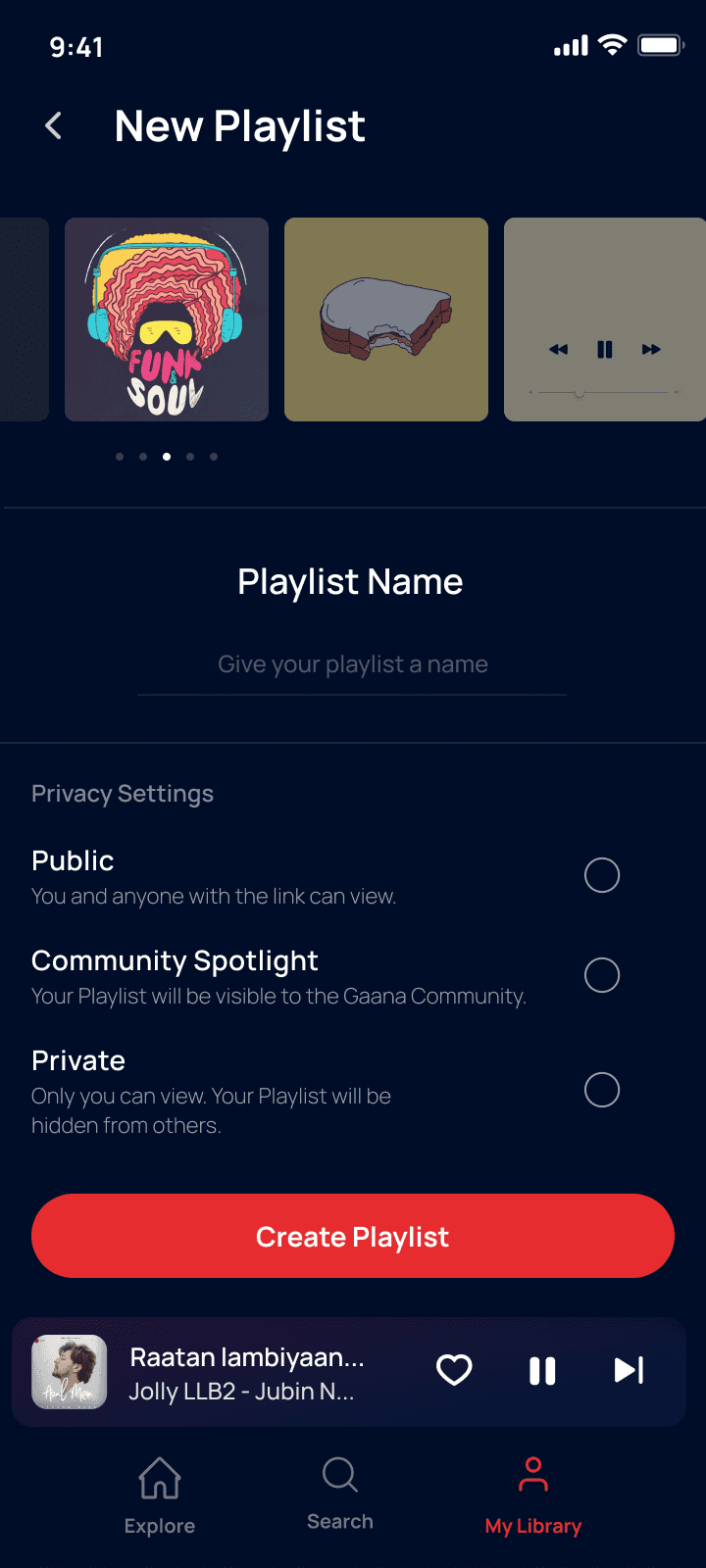
2nd Draft
The emphasis was more on the privacy settings than personalising the playlists
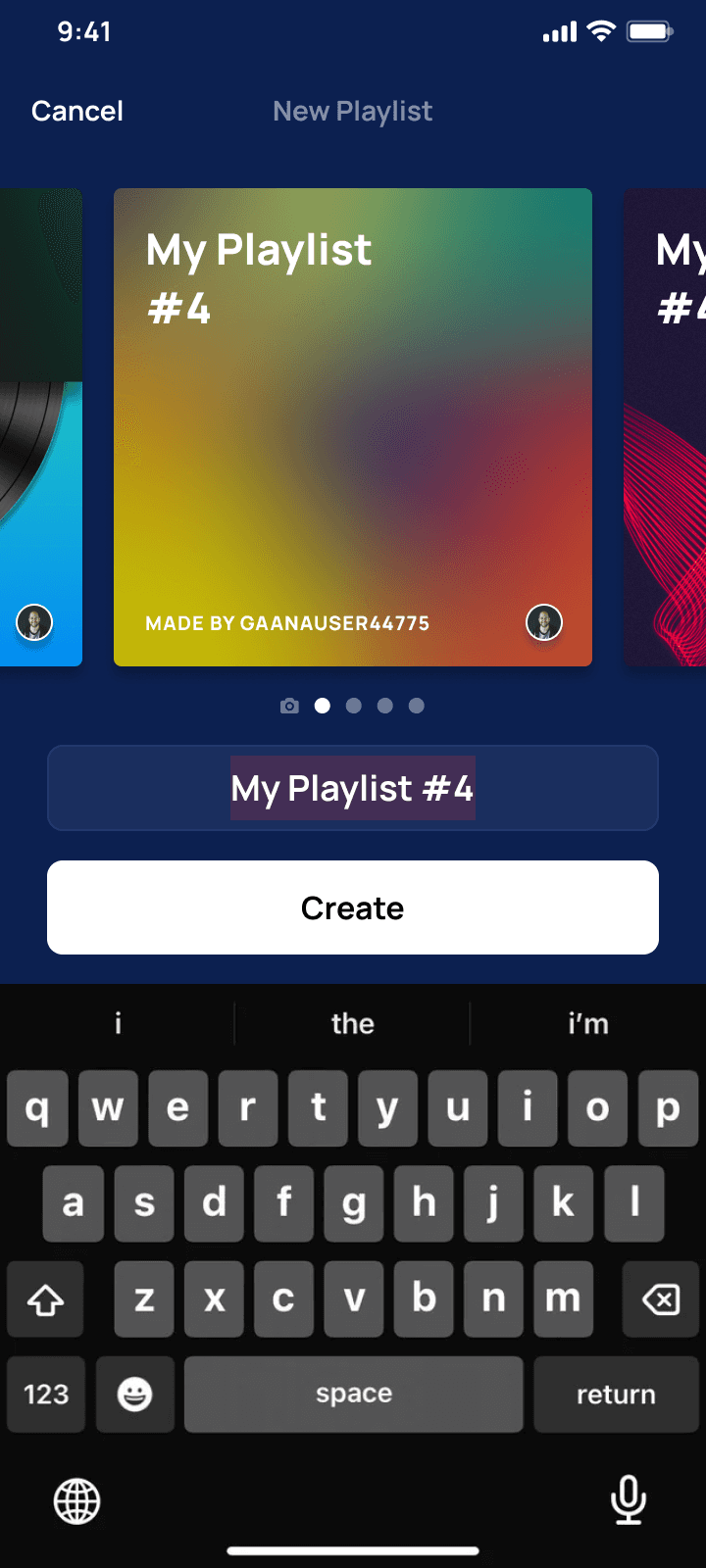
3rd Draft
Just needed a bit more personalisation :)
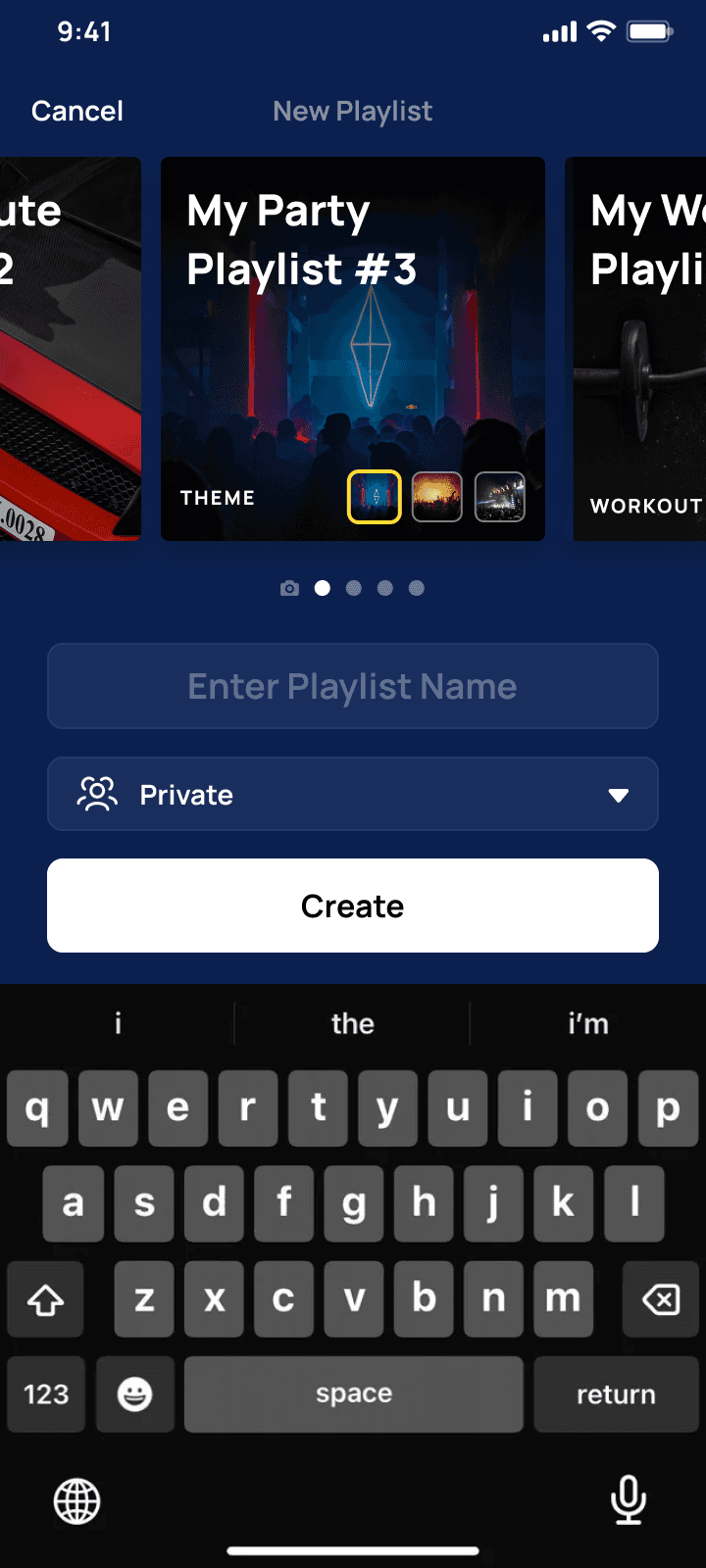
Final Draft
Approved.
What Got Approved.
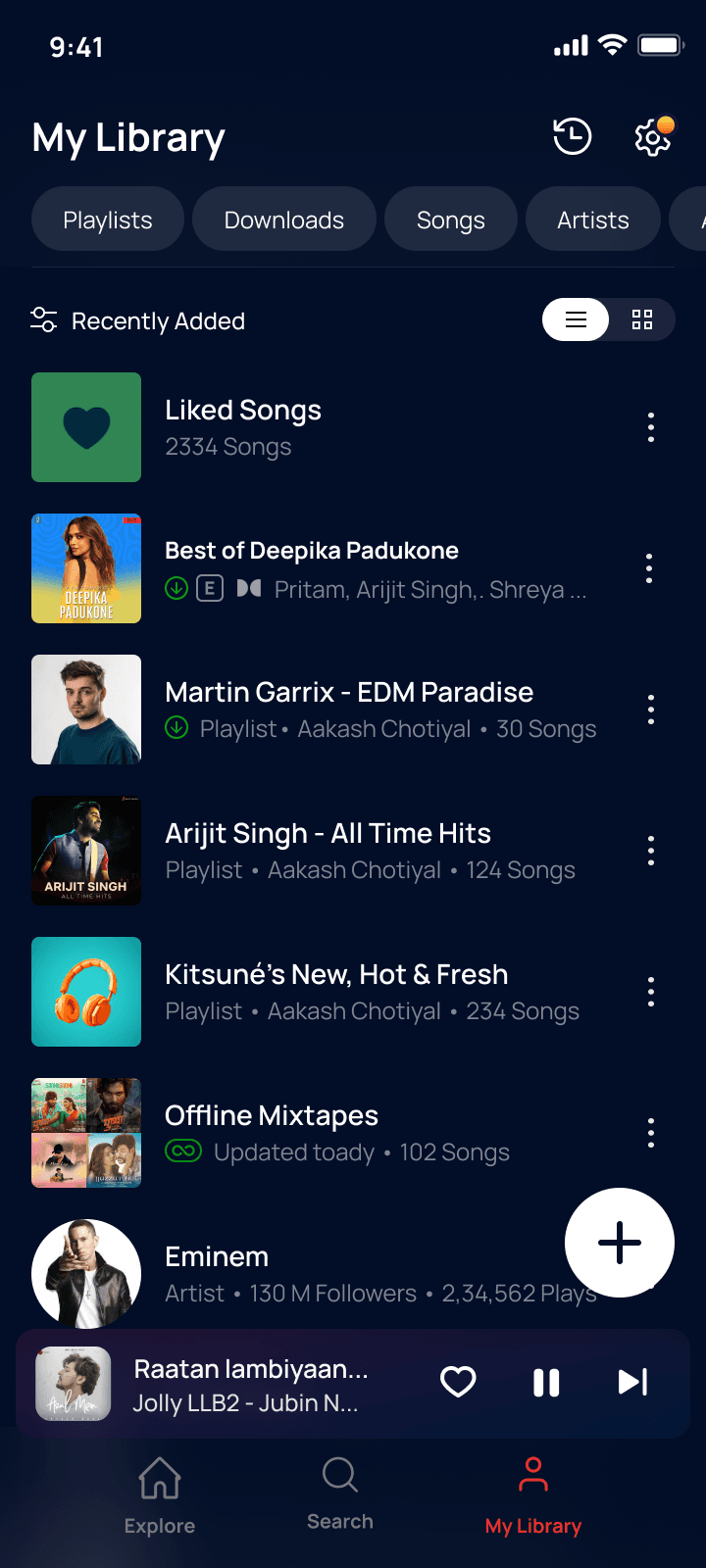
Sticky Create Playlist CTA
I made the primary "Create Playlist" action immediately accessible.
Personalisation
The naming screen wasn't just a naming screen, it was personal. Users could upload their own thumbnails or choose Moods, The meta data then suggested songs based on the moods chosen.
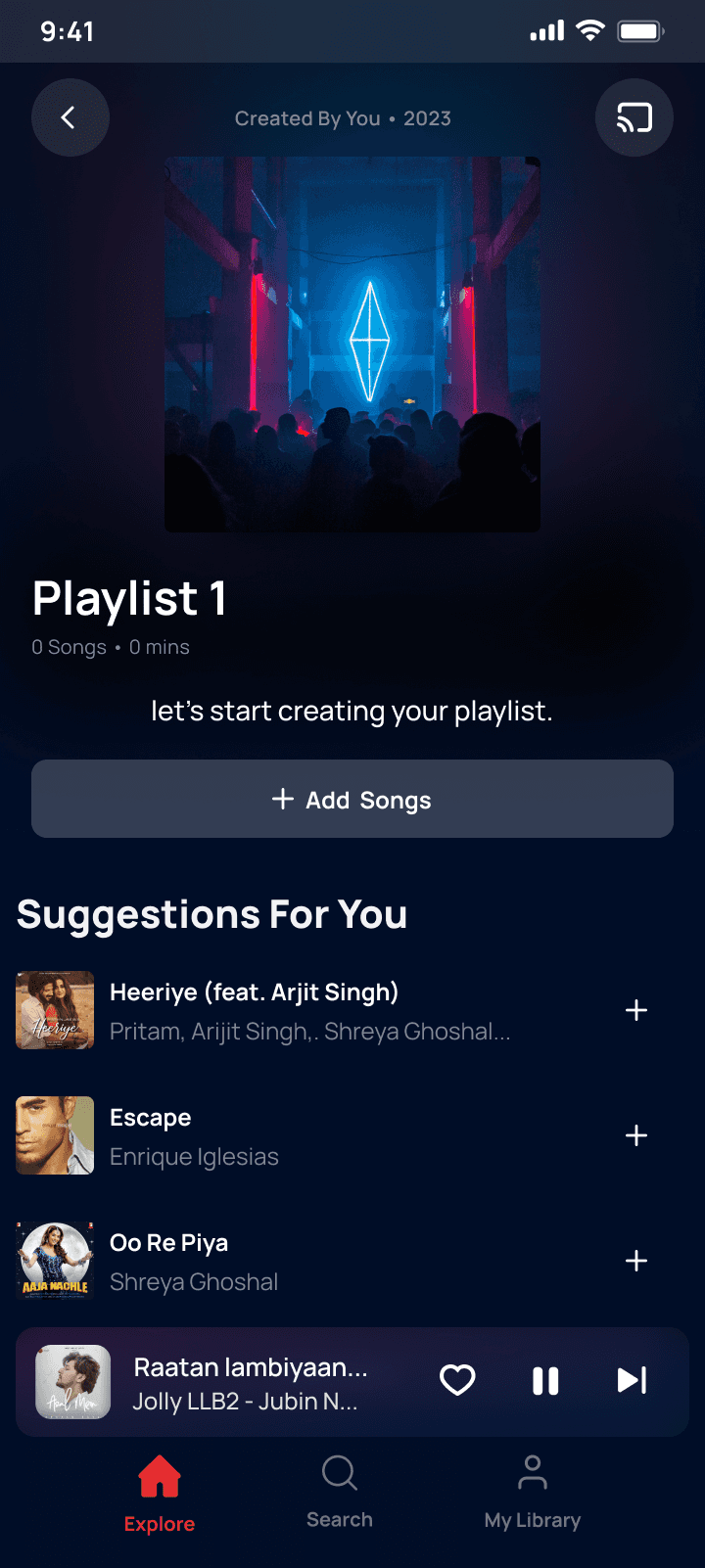
Personalised Suggestions
Users can now see suggestions based on their listening behaviour
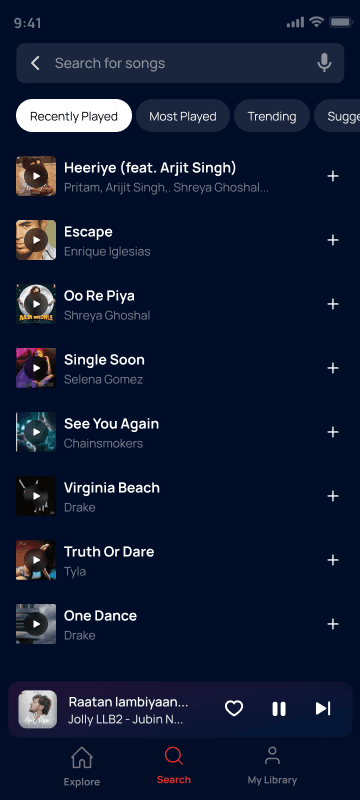
Optimised Search
Users an now filter their search even further on the basis of Most Played, Trending, etc. They can also preview the song for 10 seconds before adding them to the playlist
PROTOTYPE
Playlist Creation through other points
Playlist Creation through LIbrary
IMPACT
The Impact
This subtle but strategic UX fix transformed our activation rates, proving that removing friction is the fastest way to drive engagement.
+11.8%
Listeners through playlist
More users started listening songs through playlist
+18.2%
Playlist Creation
More users started creating new playlists
Learnings
Key Learnings from the Revamp
Friction is the True Competitor
I learned that the biggest threat to activation wasn't another app, but unnecessary friction within our own flow. Eliminating cognitive load immediately translated to measurable completion gains.
Data is also a Design Tool
By turning the user's aesthetic choice (selecting a mood cover) into functional metadata, I enabled the app to instantly offer personalised song suggestions. This proved that integrating personalisation data directly into the creation flow drives better engagement.
Momentum Over Instruction
The successful increase confirmed that users prefer being guided by immediate, contextual options rather than being instructed by passive text to start a new, tedious task. The design must always respect the user's current goal and provide the easiest path to the next action.